How to upscale an image to 4K in 3 steps
- Add the image. Drop it on the box, paste it, or tap to pick it. This page starts at 4x. The page picks Drawing or Photo for you, and you can switch it.
- Check the size line. After you add an image, the page shows the result size. If you need 3840 × 2160, make sure the result is at least that wide.
- Upscale and download. Press Upscale. When it finishes, pick PNG, JPG or WebP and download.
What size do you need to start from?
4K, also called UHD, is 3840 × 2160 pixels. Because 4x multiplies width and height, the starting size you need is simple:
| Source size | Scale | Result | Reaches 4K? |
|---|---|---|---|
| 960 × 540 | 4x | 3840 × 2160 | Yes, exactly |
| 1280 × 720 | 4x | 5120 × 2880 | Yes, and more |
| 1920 × 1080 | 2x | 3840 × 2160 | Yes, exactly |
| 800 × 600 | 4x | 3200 × 2400 | Not quite in width |
| 512 × 512 | 4x | 2048 × 2048 | No, but good for print |
A 1920 × 1080 picture only needs 2x. Use 4x when the source is smaller than 1920 pixels wide. Going further than you need is allowed, but a larger result uses much more memory and gives you no extra sharpness.
Before and after
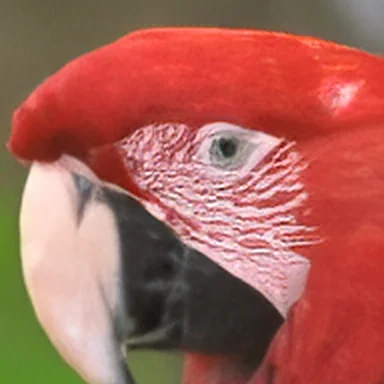
Real crops from our open-licensed test set. Before is a plain bicubic enlargement, the kind any resizer gives you. After is the waifu2x model named under each image.

 BeforeAfter
 BeforeAfter
Which model makes the 4x?
For 4x, waifu2x has dedicated models that jump straight to four times the size, one for drawings and one for photos. That is more accurate than running a 2x model twice.
In our test they had the lowest error at 4x. See How it works.
4x needs WebGPU. On a browser without it the page uses a light 2x engine instead. You can make a 4K image from 2x of a 1080p source on any device.
Pixels for print: how big can I print?
Print size depends on pixels and resolution. A common quality target is 300 DPI. Divide the pixel width by 300 to get inches, and multiply by 2.54 for centimeters.
| Result size | At 300 DPI | At 150 DPI (posters) |
|---|---|---|
| 2048 × 2048 | 17 × 17 cm | 35 × 35 cm |
| 3200 × 2400 | 27 × 20 cm | 54 × 41 cm |
| 3840 × 2160 | 33 × 18 cm | 65 × 37 cm |
| 5120 × 2880 | 43 × 24 cm | 87 × 49 cm |
Be careful with tools that only change the DPI number inside the file. That changes nothing about the real pixels. Here the pixels are actually added. For paper sizes such as A4 or 8 × 10 in, see upscale for print.
Honest limitations
- Upscaling is not magic. It makes edges clean and removes compression blocks. It does not add real new detail to a 200 px photo.
- 4x is memory-hungry. A 2000 px wide image at 4x makes an 8000 px result, around 48 megapixels. Many phones cannot do that. The page always tries, but a very large result may take a while, and the browser has a hard limit of about 268 megapixels.
- One 4x jump can look smooth. If the result looks too soft, try 2x and compare, or set Clean-up to Off.
- Phones and browsers cap the canvas size. Some phones may run out of memory well before that. Use 2x there.
Frequently asked questions
Can I make a low-resolution image 4K?
You can make it 3840 × 2160 or bigger in pixels. It will be sharper and cleaner than a plain resize, but it will not gain detail that was not in the source. Small sources give the best value from 4x.
What is 4K in pixels?
3840 × 2160 pixels (UHD). Cinema 4K is 4096 × 2160. Most screens and TVs use the first.
What is the difference between 4x and 4K?
4x means four times the width and four times the height. 4K is a specific size. A 960 × 540 image at 4x happens to be 4K. A 2000 px wide image at 4x is much bigger than 4K.
Why can't my phone do 4x on a big photo?
The 4x result has 16 times more pixels. A 12-megapixel photo would become 192 megapixels. Phones run out of memory. Use 2x, crop the photo, or use a computer.
Does 4x look better than doing 2x twice?
The 4x models are trained to go straight to four times the size, which usually gives a cleaner result than running 2x twice. Compare for your image.
Can I upscale a wallpaper to 4K for free?
Yes. The page picks the right type for your image. There is no sign-up and no watermark.
Does it increase the DPI?
It adds real pixels, which is what raises the printable size. It does not write a DPI number into the file. In print software, set the size at 300 DPI to see how large it prints.
Is the 4K image uploaded to a server?
No. Everything happens in your browser. The image never leaves your device.
What file do I get?
A PNG, with transparency kept if your image had it. PNG files at 4K can be large, several megabytes.
Does it work offline?
Once the engine is cached in your browser, upscaling needs no download. The page itself still needs to load once per visit.