What this is, and what it is not
waifu2x is an open-source image upscaler created by nagadomi in 2015. Its models are still among the best for anime-style art, and they are released under the MIT license. freeupscale takes those models and the unlimited.waifu2x.net browser engine code (also MIT), and wraps them in a simpler, translated page.
freeupscale is an independent project. It is not affiliated with nagadomi, and it does not use any waifu2x server or API. The models are downloaded as files and run on your device.
If waifu2x helped you, support its author on Patreon.
How to use it in 3 steps
- Add an image. Drop, paste or tap. Transparent PNGs keep their transparency.
- Check the suggestion. The page looks at your image and suggests the type, 2x or 4x, and the clean-up. The models and default parameters are the ones the waifu2x web demo uses.
- Upscale and download. A progress bar shows the time left. When it is done, download the result as PNG, JPG or WebP.
Before and after
Real crops from our open-licensed test set. Before is a plain bicubic enlargement, the kind any resizer gives you. After is the waifu2x model named under each image.

 BeforeAfter
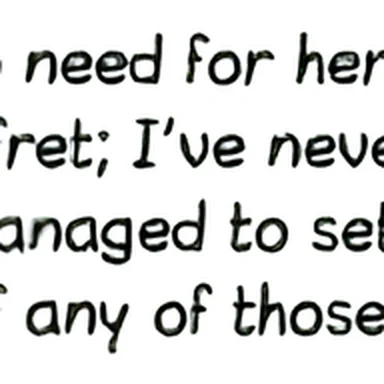
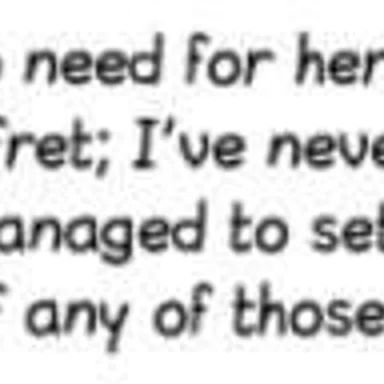 BeforeAfter
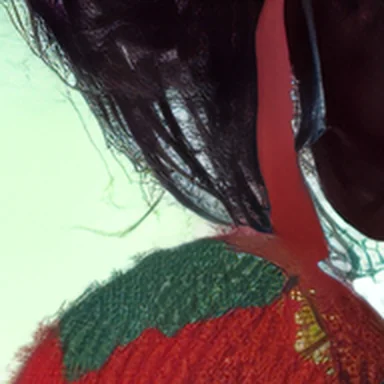
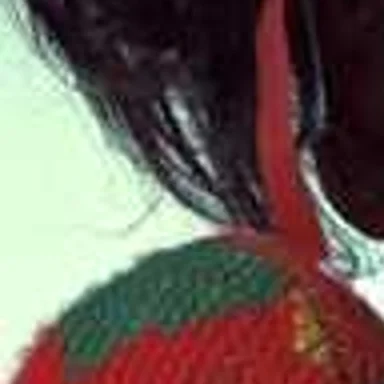 BeforeAfter
How the settings are chosen
- Type. Drawing is for anime, illustrations and art, and Photo is for camera pictures. The page guesses from your image, and you can switch. Heavily compressed drawings and devices without WebGPU get a model that fits them.
- Clean-up. Auto reads how strongly your JPEG was compressed from the file and picks waifu2x noise level 0 to 3. Off keeps the image as it is, Light is level 1 and Strong is level 3. Stronger levels soften fine detail a bit.
- Enlarge. Images with a longest side under 1000 px are suggested at 4x, and larger ones at 2x. 4x uses the dedicated 4x models and needs WebGPU.
- Tiles and speed. The image is processed in 256 px tiles blended at the seams, as in the waifu2x demo. Your device uses WebGPU when it can and falls back to the processor otherwise.
What is different from other waifu2x pages
- Nothing to install. No Python, no CUDA, no app. A recent browser is enough.
- Suggested settings. The page looks at your image and chooses the model for you.
- Live progress. You see the model download and a progress bar with the time left.
- Your choice of format. Download the result as PNG, JPG or WebP.
- Batch mode with a ZIP download is on the batch page, which is available in English.
- 21 languages, and it works on a phone.
The original browser version at unlimited.waifu2x.net is also a good tool, and uses the same engine. This site is for people who want the same models with a friendlier page.
Why is it free? What is the catch?
Free
There is no catch. The upscaling runs on your own phone or computer, using your graphics chip. We do not pay for a server for every image, so we do not need accounts, credits, daily limits or watermarks.
Stays on your device
That is also why your image is not uploaded. The only thing the page downloads is the engine, once, and your browser keeps it. Open the Network tab of your browser's developer tools while you upscale and see for yourself.
Honest limitations
- Not every waifu2x option is here. The desktop and command-line versions of waifu2x expose more options, such as other model families and file formats.
- Device speed. A desktop GPU is far faster than a phone. Without WebGPU only a light 2x model is used.
- Memory. Large images at 4x can exceed what a browser tab may use. Lower the scale or use a smaller image.
Frequently asked questions
Is this the real waifu2x?
It runs the real waifu2x model files (MIT, by nagadomi) with the same default settings as the waifu2x web demo. The page around it is ours. We are independent and not affiliated with nagadomi.
Why would I use this instead of installing waifu2x?
There is nothing to install, it works on a phone, and it picks the model for you. If you already run waifu2x locally with a GPU and large files, the desktop tools may suit you better.
Does it send my image to a waifu2x server?
No. There is no server involved in the processing. The model files are downloaded and the image is processed on your device.
Which waifu2x models are included?
The waifu2x art models, the photo model, a model for screenshots and scans, and a light model for devices without WebGPU. All come with noise levels 0 to 3, and with 2x and 4x where available.
What does clean-up do?
It removes compression noise. Light is gentle and Strong is heavy. Stronger levels clean more but also smooth fine detail. Off leaves the image as is. Auto reads the JPEG quality from the file.
Can I change the settings?
You can change the Type (Auto, Drawing or Photo), the size (2x or 4x) and the Clean-up level (Auto, Off, Light or Strong). The rest follows the waifu2x defaults, so you get the same results as the waifu2x web demo.
Why is 4x missing on my device?
The 4x models need WebGPU. If your browser has none, the page uses the light model and offers 2x only.
Does it keep transparency?
Yes. The alpha channel is upscaled with the same model and written to the PNG.
Can I use the results commercially?
The results are your images, enlarged. What you may do with them depends on the rights you have on the original image. The waifu2x models are MIT licensed.
Where is the batch mode?
On the English batch upscaler page.