How to prepare an image for print in 4 steps
- Find the pixels you need. Look up your print size in the first table below. An A4 or Letter page at 300 DPI needs about 2500 × 3300 pixels.
- Add the image. Drop it on the box or tap to pick it. The size line shows its pixels. This page starts at 4x. If the source is already big, switch to 2x.
- Upscale and download. Press Upscale and download the PNG. Choose JPG only if your print shop asks for it.
- Set the size when you print. In the print dialog or the print shop's editor, choose the paper size. The pixels you added are what keeps it sharp.
How many pixels do you need?
Print size is pixels divided by DPI. At 300 DPI, the common target for photos and flyers, you need 300 pixels for every inch of paper (about 118 per centimeter).
| Print size | Pixels at 300 DPI | Pixels at 150 DPI (posters) |
|---|---|---|
| 4 × 6 in (10 × 15 cm) | 1200 × 1800 | 600 × 900 |
| 5 × 7 in | 1500 × 2100 | 750 × 1050 |
| 8 × 10 in | 2400 × 3000 | 1200 × 1500 |
| Letter, 8.5 × 11 in | 2550 × 3300 | 1275 × 1650 |
| A4, 21 × 29.7 cm | 2480 × 3508 | 1240 × 1754 |
| 12 × 18 in | 3600 × 5400 | 1800 × 2700 |
| 18 × 24 in poster | 5400 × 7200 | 2700 × 3600 |
Large posters are seen from a distance, so 150 DPI usually looks fine on them. Photo prints and anything held in the hand look best at 300.
What 2x and 4x give you at 300 DPI
| Source | 2x result, prints at | 4x result, prints at |
|---|---|---|
| 640 × 480 | 1280 × 960, 4.3 × 3.2 in | 2560 × 1920, 8.5 × 6.4 in |
| 800 × 600 | 1600 × 1200, 5.3 × 4 in | 3200 × 2400, 10.7 × 8 in |
| 1080 × 1080 (social post) | 2160 × 2160, 7.2 × 7.2 in | 4320 × 4320, 14.4 × 14.4 in |
| 1280 × 720 | 2560 × 1440, 8.5 × 4.8 in | 5120 × 2880, 17.1 × 9.6 in |
| 1600 × 1200 | 3200 × 2400, 10.7 × 8 in | 6400 × 4800, 21.3 × 16 in |
A 1080 × 1080 post at 4x is enough for a 14-inch square print. The same file without upscaling prints at only 3.6 inches before it starts to look soft.
Before and after
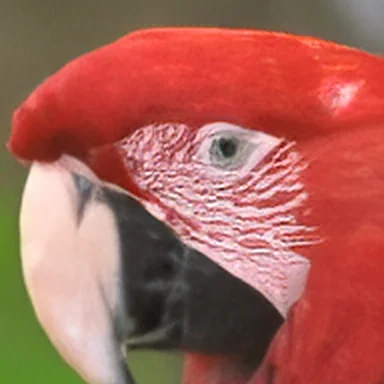
Real crops from our open-licensed test set. Before is a plain bicubic enlargement, the kind any resizer gives you. After is the waifu2x model named under each image.
 BeforeAfter

 BeforeAfter
Real pixels versus a DPI number
Many "increase DPI" tools only rewrite a number stored in the file. The image keeps the same pixels, so it prints exactly as soft as before.
This page does the opposite. It adds real pixels with a super-resolution model, and it does not write a DPI number into the file. You do not need one: print shops and print dialogs work from the pixels and the paper size you choose.
If an editor insists on 300 DPI, open the file in it, turn off resampling and type 300. The pixels stay the same and the print size updates.
Honest limitations
- Sharper, not more detailed. Edges get clean and compression blocks go away. Texture that the camera never captured does not appear.
- 4x needs memory. A 1600 × 1200 source at 4x makes about 31 megapixels. Computers handle it. Phones may need 2x or a crop.
- Colors stay RGB. Some print shops ask for CMYK. They usually convert for you, but bright screen colors can print a little duller.
- Logos are better as vectors. Upscaling cleans a small logo, but an SVG or PDF version prints sharp at any size.
Frequently asked questions
How do I upscale an image to 300 DPI?
Work out the pixels you need: inches × 300. Upscale the image 2x or 4x here until it is at least that big, then choose the paper size when you print. The result has enough pixels for 300 DPI at that size.
Does this change the DPI value in the file?
No. It adds real pixels and does not write a DPI number. That number alone does not change print quality. If software needs it, set 300 DPI there without resampling.
What is the difference between DPI and PPI?
PPI is pixels per inch in the image. DPI is dots of ink per inch on the printer. In everyday use, "300 DPI" means 300 image pixels per inch of paper, and that is how this page uses it.
How many pixels do I need for an A4 print?
About 2480 × 3508 pixels at 300 DPI, or 1240 × 1754 at 150 DPI. A 640 × 900 image at 4x gets you there.
Should I use 2x or 4x for printing?
Use the smallest scale that reaches the pixels you need. 4x for small images and big prints, 2x when the source is already over 1500 pixels wide. A larger jump than needed adds memory use, not sharpness.
PNG or JPG for the print shop?
PNG keeps every pixel and is the safest choice. If the shop only takes JPG, choose JPG in the download window. Its quality is high enough for print.
Can I print a phone photo as a big poster?
Usually yes. A 12-megapixel phone photo is already about 4000 × 3000 pixels, enough for 13 × 10 in at 300 DPI or a large poster at 150. Use 2x only if you need more.
Is it good for T-shirts and print-on-demand?
Yes, for drawings and logos with clean edges. Many print-on-demand shops ask for files of several thousand pixels per side. Upscale 4x and check their exact size, then resize to it.
Will the print look like a professional photo?
It will look like a clean, larger version of your image. It will not add detail that a small or blurry source never had.
Is my image uploaded?
No. Everything runs in your browser and the image never leaves your device. It is free, with no sign-up and no watermark.