How to upscale images in bulk, in 3 steps
- Add your images. Drop several files on the box, tap it to select many at once, or paste them one by one. They appear in the queue with thumbnails.
- Check the settings. Type, enlargement and clean-up are on Auto by default, so each image gets its own suggestion. You can also set them for the whole queue.
- Press Upscale all. The images are processed one at a time. Download each result as it finishes, or take everything at the end as a ZIP.
How the queue works
- One image at a time. Processing in sequence keeps memory use low, which is what lets big batches run on a normal laptop.
- The engine loads once. The model is prepared for the first image and reused for the rest, so the second image starts immediately.
- Failures do not stop the batch. If one image is too large for your device, it is marked as failed and the queue moves on.
- Keep the tab open. The work happens in this page. On a phone, do not lock the screen until it finishes.
- Files are named for you. Each result is called
name_freeupscale_2x.png, so nothing overwrites your originals.
Before and after
Real crops from our open-licensed test set. Before is a plain bicubic enlargement, the kind any resizer gives you. After is the waifu2x model named under each image.

 BeforeAfter
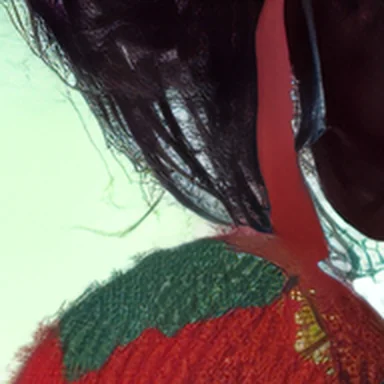
 BeforeAfter
Which model runs on a batch?
It is the same waifu2x engine as on the single-image pages: an art model for drawings, a photo model for photos, and a model for heavily compressed drawings.
On Auto, everything is picked per file: the type, 2x or 4x, and the clean-up according to how strongly each JPEG was compressed. That way a folder with mixed images is handled sensibly. Details are on How it works. Upscaling a manga chapter? The manga upscaler page lists settings for scans.
Why is it free? What is the catch?
Free
There is no catch. The upscaling runs on your own phone or computer, using your graphics chip. We do not pay for a server for every image, so we do not need accounts, credits, daily limits or watermarks.
Stays on your device
That is also why your image is not uploaded. The only thing the page downloads is the engine, once, and your browser keeps it. Open the Network tab of your browser's developer tools while you upscale and see for yourself.
Honest limitations
- It is not instant. Because everything runs on your device, 50 images take as long as your hardware needs. A computer with WebGPU does a typical image in a few seconds.
- The ZIP lives in memory. A very large batch at 4x can fill it. Split big jobs into groups of 20 to 30 images.
- No mixed settings per image. If you change type, enlargement or clean-up, it applies to the whole queue. Leave them on Auto for per-image choices.
- Format. Choose PNG, JPG or WebP for the ZIP. PNG is lossless and keeps transparency, but its files are larger.
Frequently asked questions
Is there a limit on how many images I can upscale?
There is no limit from us: no daily cap, no credits. The practical limit is your device's memory and your patience. Groups of 20 to 30 images work comfortably.
Does it upload my images?
No. Every image is processed in your browser and stays on your device. The ZIP is built in your browser too.
Can I upscale a whole folder?
Open the file picker, select all images in the folder (Ctrl+A or Cmd+A) and add them. You can also drag a selection of files onto the box.
In what order are the images processed?
In the order you added them, one at a time. You see the progress of the queue and of the current image.
What if one image fails?
It is marked as failed with a reason (usually that it is too large for your device) and the rest continue. You can remove it, lower the scale and add it again.
Can I use different settings for each image?
The settings apply to the whole queue. Group your images by type and run one batch for each.
Why is the ZIP not compressed?
PNG files are already compressed, so zipping them again saves almost nothing and takes time. The ZIP is just a convenient bundle.
Is it really free and without a watermark?
Yes. No account, no watermark, no daily limit.
Can I stop in the middle?
Yes. Use Cancel. Images that already finished stay in the queue and can be downloaded.
Does it work on a phone?
Yes, but a phone is slower and has less memory. For big batches a computer with WebGPU is much better.